Logitech MX Brio Ultra HD 4K Webcam
Logitech's premium 4K webcam for remote workers — AI-enhanced image, dual mics, and Show Mode for desk demos, all without the PTZ price tag.
Price may vary. As an affiliate, we earn from qualifying purchases.
What we like
- True 4K/30fps and crisp 1080p/60fps for streaming
- AI-enhanced image processing cleans up rough lighting
- Show Mode tilts the camera down to share your desk
- USB-C and a physical privacy shutter built in
Could be better
- $200 is steep if you don't need 4K
- No subject tracking or motorized PTZ
- Logitech's tuning software pushes account sign-in
Full Review
The MX Brio is Logitech’s answer to the question every remote worker eventually asks: how much webcam do I actually need? It sits above the C920s and the older Brio 4K, below the conference-room Rally gear, and aims squarely at people who live on video calls and want to look like they care.
Image Quality
The sensor is the headline. Logitech moved to a larger sensor with bigger pixels — roughly 70% larger than the older Brio 4K — and it shows in low light. Skin tones hold up under mixed office lighting where cheaper webcams turn faces into orange smears. 4K at 30fps is the headline mode, but 1080p at 60fps is the one you’ll actually use day-to-day: smoother motion, lower bandwidth, and indistinguishable from 4K on the receiving end of a Zoom call.
AI-enhanced image processing handles white balance and exposure in the background. It’s not flashy, but it stops the wild auto-exposure swings that make older webcams look amateurish when a window opens behind you.
Build and Software
The hardware feels like a Logitech MX product — dense metal-and-matte-plastic, a tripod-friendly mount, USB-C on the back, and a slide-over privacy shutter that actually covers the lens rather than dimming it in software. The included clip grips both monitors and laptop lids without sagging.
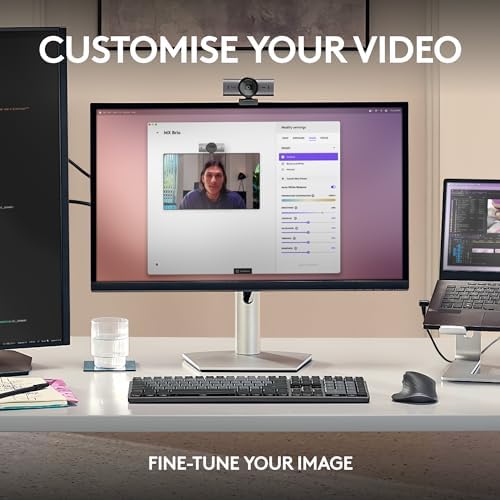
Logi Tune (or the newer Logi Options+) handles the manual controls: ISO, shutter, white balance, tint, and field of view from 65 to 90 degrees. The software is fine. It would be nicer without the account nag.
Show Mode
Tilt the camera body down and Show Mode flips the feed automatically to point at your desk surface. It sounds like a gimmick until you try to demo a sketch, a circuit board, or a paper notebook on a call — then it’s the feature you didn’t know you wanted. No second camera, no document scanner workflow.
How It Compares
The Insta360 Link 2 is cheaper and adds AI subject tracking with a motorized gimbal, but its image processing leans heavily on smoothing and skin softening. If you want PTZ tricks and don’t mind the look, it’s the play. If you want a cleaner, more honest image, the MX Brio wins.
The Opal Tadpole is a different category — laptop-clipping, portable, USB-C — but tops out at 1080p and lacks the sensor and AI features. Take a Tadpole when you travel; mount a Brio at your desk.
Who Should Buy This
Buy the MX Brio if you spend your day on video calls and want the best fixed-mount webcam money can reasonably buy. It’s the right pick for remote managers, sales folks, creators recording talking-head segments, and anyone whose face is part of their job. Skip it if you don’t need 4K, want PTZ tracking, or already own a clean mirrorless-as-webcam setup — in any of those cases you’re paying for features you won’t use.