Logitech MX Keys S
The go-to wireless keyboard for productivity professionals — perfectly sculpted keys, smart backlighting, and seamless multi-device switching.
Price may vary. As an affiliate, we earn from qualifying purchases.
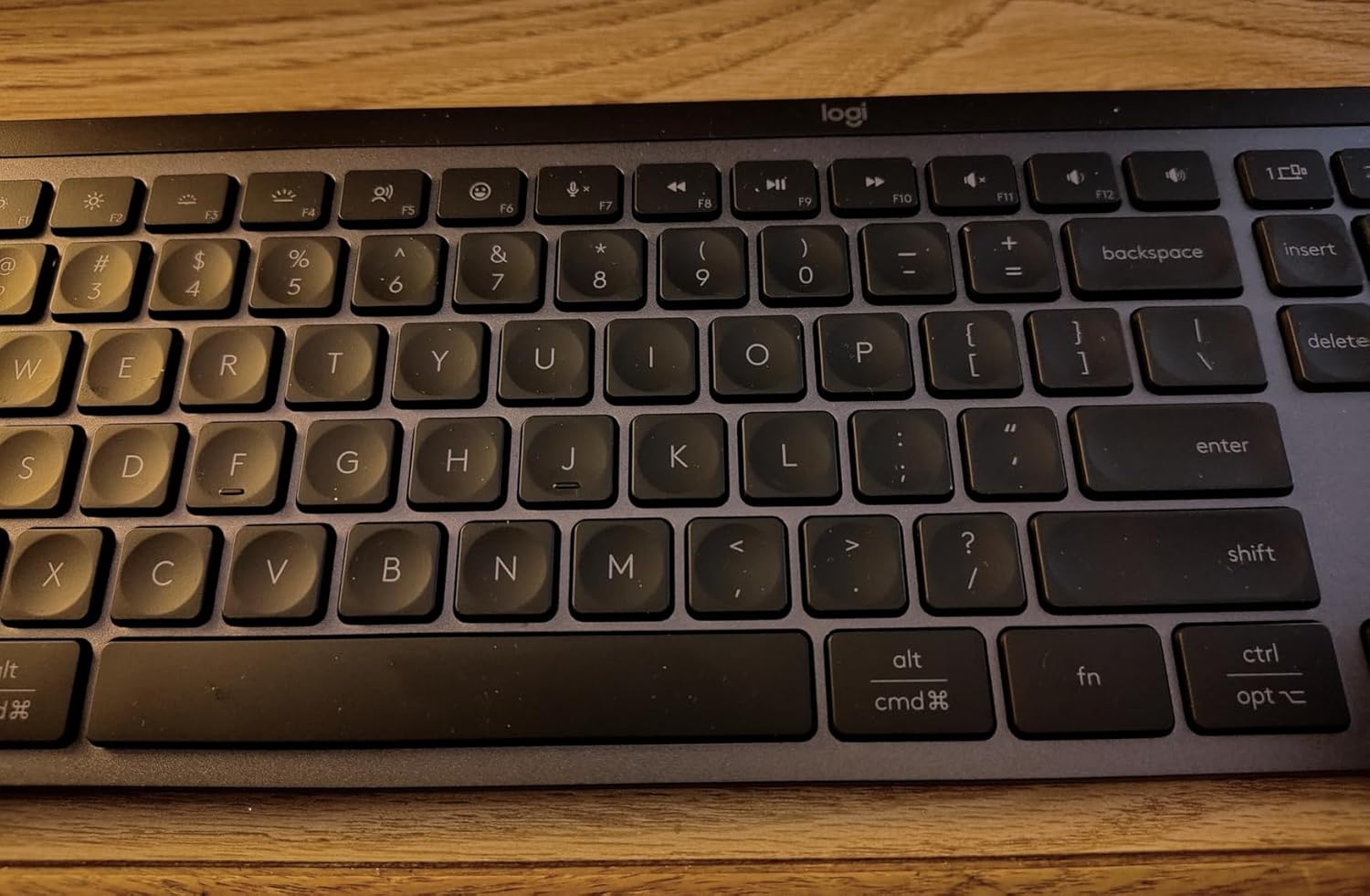
What we like
- Exceptionally comfortable sculpted keycaps reduce finger fatigue
- Smart backlighting activates on hand proximity and adjusts to room light
- Seamless switching between 3 devices with Easy-Switch keys
- Logi Options+ enables deep customization and Smart Actions macros
- Premium metal top plate keeps it stable on your desk
Could be better
- No mechanical switch option — may disappoint mech enthusiasts
- Non-removable battery limits overall lifespan
- Full-size layout is wide — can push mouse position outward
Full Review
The Logitech MX Keys S is the refined successor to the original MX Keys, and it remains one of the best wireless keyboards for productivity-focused professionals. If you type for a living and want comfort over clack, this is it.
Build and Feel
Build quality is excellent — the aluminum-topped chassis feels rigid and premium, with enough heft to stay planted during aggressive typing. There’s no flex or creaking. The PerfectStroke keys feature a spherically dished design that gently guides your fingers to the center of each key, resulting in a quiet, accurate typing experience.
Key travel is shallow but well-tuned. Most users find they can type faster and with fewer errors after a short adjustment period. It doesn’t replicate the tactile feedback of a mechanical board, but for office and writing work, the feel is arguably superior.
Smart Features
The headline feature is Smart Actions through Logi Options+, which lets you assign multi-step macros to any key. Combined with per-application key remapping and seamless switching between three paired devices, this keyboard fits naturally into complex multi-computer workflows.
Smart backlighting remains a standout — it lights up as your hands approach and dims when they leave, adjusting intensity based on room lighting.
Battery Life
Roughly 10 days with backlighting on and several months without. USB-C charging is quick. The non-replaceable battery is a long-term concern, but most users will get 3-5 years of heavy daily use.
Who Should Buy This
Writers, programmers, and office professionals who value comfort, quiet operation, and software customization over mechanical tactility. If you switch between a Mac and a PC regularly, the multi-device support alone justifies the price.