Logitech MX Mechanical Mini for Mac
A 75% low-profile mechanical wireless keyboard tuned for macOS, with tactile-quiet switches, smart backlight, and 70-day battery.
Price may vary. As an affiliate, we earn from qualifying purchases.
What we like
- Low-profile tactile-quiet switches feel crisp without sounding loud
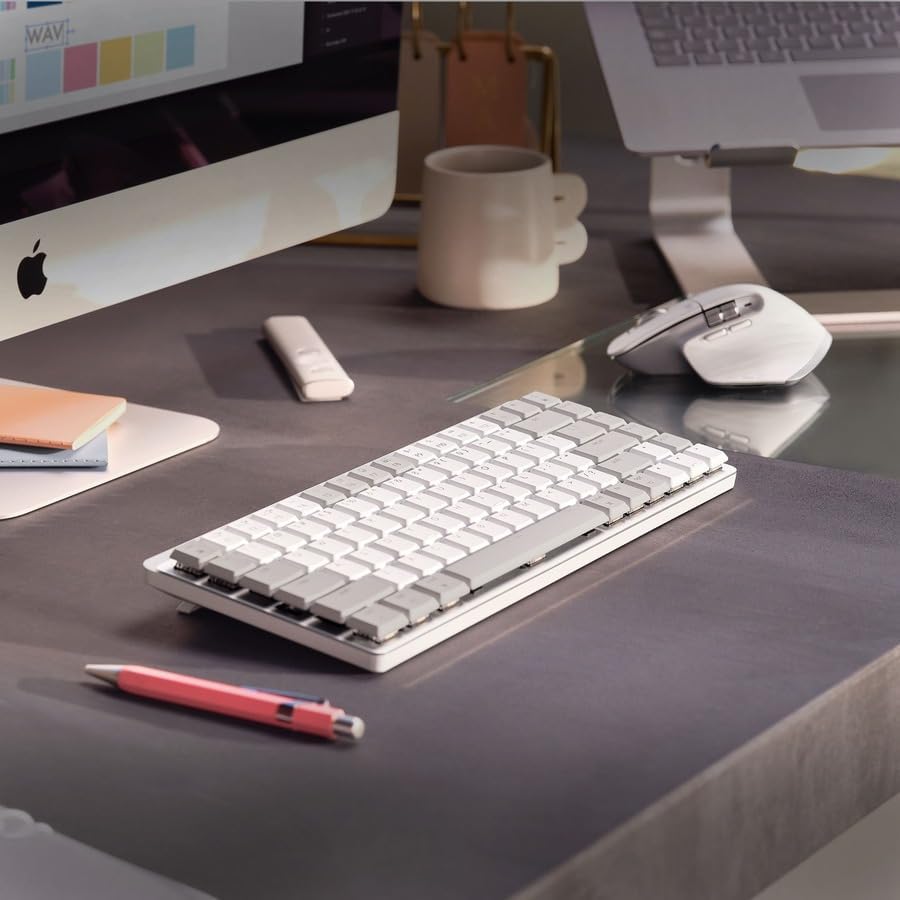
- Mac-specific keycaps in Pale Grey or Space Grey match Apple gear
- Bluetooth pairing across three Macs or iPads with one-tap switching
- Smart backlight reacts to your hands and ambient light automatically
Could be better
- $149 is steep next to hot-swap rivals like the Keychron K3 Pro
- No switch options — what's in the box is what you get
- Logi Options+ is required to unlock function row customization
Full Review
The MX Mechanical Mini for Mac is what happens when Logitech takes the MX Keys Mini layout Mac users already love, throws out the scissor switches, and drops in low-profile mechanicals. The result is a 75% wireless board that looks at home next to a Mac Studio and types like it means business — without sounding like one.
Build and Layout
The aluminum top plate gives the keyboard real heft (612g) and zero deck flex. The Pale Grey and Space Grey colorways are tuned to match Apple hardware, and the keycaps carry the proper Mac legends — Command, Option, and a dedicated emoji/dictation row. The 75% layout keeps arrow keys and a full function row while staying compact enough to leave room for a trackpad or mouse.
Typing Feel
Logitech ships this one exclusively with tactile-quiet switches. They have a clear bump near the top of the travel and reset fast, but the dampening keeps the sound closer to a premium membrane than a clacky mechanical. If you share a room or work on calls, this is the right tradeoff. If you want linears or clickies, look elsewhere — there’s no swap option here.
Daily Use on a Mac
Bluetooth pairing covers three devices, and the Easy-Switch keys jump between them instantly. The smart backlight is the underrated feature: it lights up as your hands approach and dims in bright rooms, which is why the 70-day battery claim actually holds up in practice. Logi Options+ adds per-app function row remapping, smart actions, and Flow for cursor handoff between Macs.
How It Compares
The Keychron K3 Pro ($95) gives you hot-swap sockets, QMK/VIA, and your choice of switches for less money — but the build feels lighter and the software story is fragmented. The Apple Magic Keyboard is slimmer and travels easier but offers none of the tactile satisfaction. The MX Mechanical Mini sits between them: more premium than the Apple board, more turnkey than the Keychron.
Who Should Buy This
Buy this if you want a low-profile mechanical that pairs cleanly with multiple Macs, looks the part, and works the moment you turn it on. Skip it if you care about hot-swap switches, custom firmware, or saving $50 — the Keychron K3 Pro is the better pick for tinkerers.