Monitors & Arms · Review
Samsung Smart Monitor M9 (M90SF) 32-inch 4K QD-OLED
Samsung's 32-inch 4K QD-OLED smart monitor has gorgeous contrast and built-in streaming, but its price and static-UI burn-in risk make it a poor first pick for pure office work.
Published
Our verdict
4.1 / 5
Price at time of review
$1,299.99
Prices change. As an affiliate, we earn from qualifying purchases — it never decides the verdict.
What we like
- Deep OLED blacks with no backlight bleed or clouding, and wide color: roughly 100% sRGB and 95% DCI-P3 in reviewer testing
- 4K at 32 inches gives comfortable pixel density, so text is sharp and easy to read
- 165Hz refresh with FreeSync and G-Sync support doubles as a capable gaming display
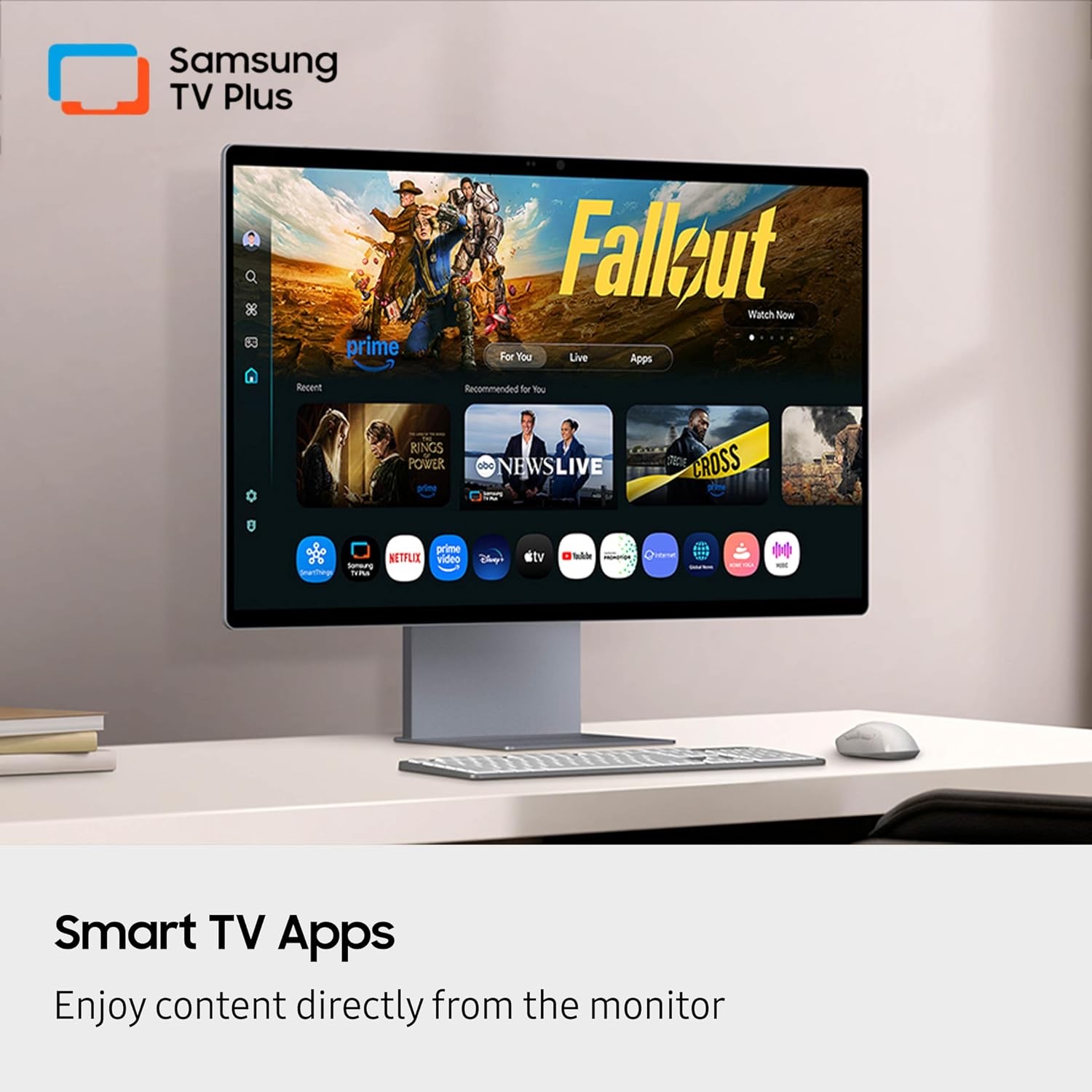
- Built-in Tizen apps (Netflix, YouTube, Samsung TV Plus) work without a PC, handy for a break-time screen
- Good out-of-box color accuracy (average dE around 2.2 in testing) and a solid, well-built design
Could be better
- Burn-in is a real concern for a screen that shows taskbars, docks and toolbars for eight hours a day
- At $1299.99 it costs a lot, and the smart features are not why most desk workers should pay it
- Brightness is modest for a flagship: about 250 nits typical in SDR, roughly 450 nits peak in HDR
- The on-screen menu and smart OS feel clunky next to a plain productivity monitor
Full Review
Build and Design
The M9 looks and feels like a premium product. The chassis is solid and the ports sit horizontally, so they’re easy to reach. The stand adjusts for height, tilt and swivel. It wobbles a bit if you nudge the desk hard, but it’s fine for normal use. If you’d rather free up desk space, the 100 x 100 VESA pattern lets you use a monitor arm.
Picture Quality and Key Features
This is where the M9 earns its price. The QD-OLED panel produces inky blacks with no bleed or clouding, and color coverage is wide. Out of the box it’s accurate enough for general work, and calibration improves it further if you need color-critical results. At 32 inches, 4K text is crisp and comfortable.
Brightness is the weak spot. SDR sits around 250 nits, which is fine for a normal room but unremarkable at this price. A matte-style anti-glare coating helps in bright rooms.
The Tizen smart platform adds Netflix, YouTube, Samsung TV Plus and the Gaming Hub. They work without a computer, but the interface is slower and clunkier than a dedicated streaming box. Treat them as a bonus.
Daily Use and the Burn-In Question
For office work, the main concern is burn-in. Spreadsheets, code editors and a permanent taskbar are exactly what stresses an OLED. Samsung includes protections: logo and taskbar detection that dims static elements, a screen saver that dims the display after 10 minutes of inactivity, and thermal modulation. Turn all of them on, enable pixel shift, hide the taskbar or dock, use dark mode where you can, and let the screen sleep quickly.
If you want a screen you never have to think about, consider the Dell UltraSharp U3225QE instead. It’s a productivity-first IPS Black panel with no burn-in worry. For a gaming-first OLED, the MSI MPG 272URX QD-OLED is also worth a look.
The M9 is also a very good gaming monitor, with a 165Hz refresh rate, 0.03ms response time and low input lag. The built-in speakers are usable but no substitute for headphones or desk speakers.
Who Should Buy This
Buy the M9 if your desk is a mix of work, movies and games and you want one gorgeous 4K screen for all of it. It also suits anyone who likes the idea of streaming without turning on a PC. Take burn-in prevention seriously and treat the 3-year warranty as part of the deal.
Skip it if you spend most of your day in static windows, want maximum brightness, or care mostly about value. In those cases the Dell U3225QE is the safer and more sensible work monitor.