Keyboards & Mice · Review
Logitech G PowerPlay 2 Wireless Charging Mouse Pad
A slimmer, simpler second-generation charging mousepad that keeps compatible Logitech G mice powered nonstop, but it's expensive and only worth it inside the Logitech G ecosystem.
Published
Our verdict
3.9 / 5
Price at time of review
$119.99
Prices change. As an affiliate, we earn from qualifying purchases — it never decides the verdict.
What we like
- Charges a compatible mouse continuously, in motion and at rest, so a dead battery stops being a problem
- Slim 3.5mm profile sits much closer to a normal cloth pad than the original
- Plug-and-play setup with no software required
- Works with 10+ Logitech G mice, including the G Pro X Superlight 2 and G502 X Plus, with more promised
- Supports current Logitech wireless tech, including LIGHTSPEED 4 KHz
Could be better
- $119.99 is a lot to pay for a mousepad
- Logitech G mice only, and only supported models, so it's useless with any other brand
- Amazon buyers rate it a modest 3.8 from 291 ratings, which suggests the experience isn't flawless
- A thin cloth surface won't suit people who prefer a thicker or more specialized pad
Full Review
Build and Design
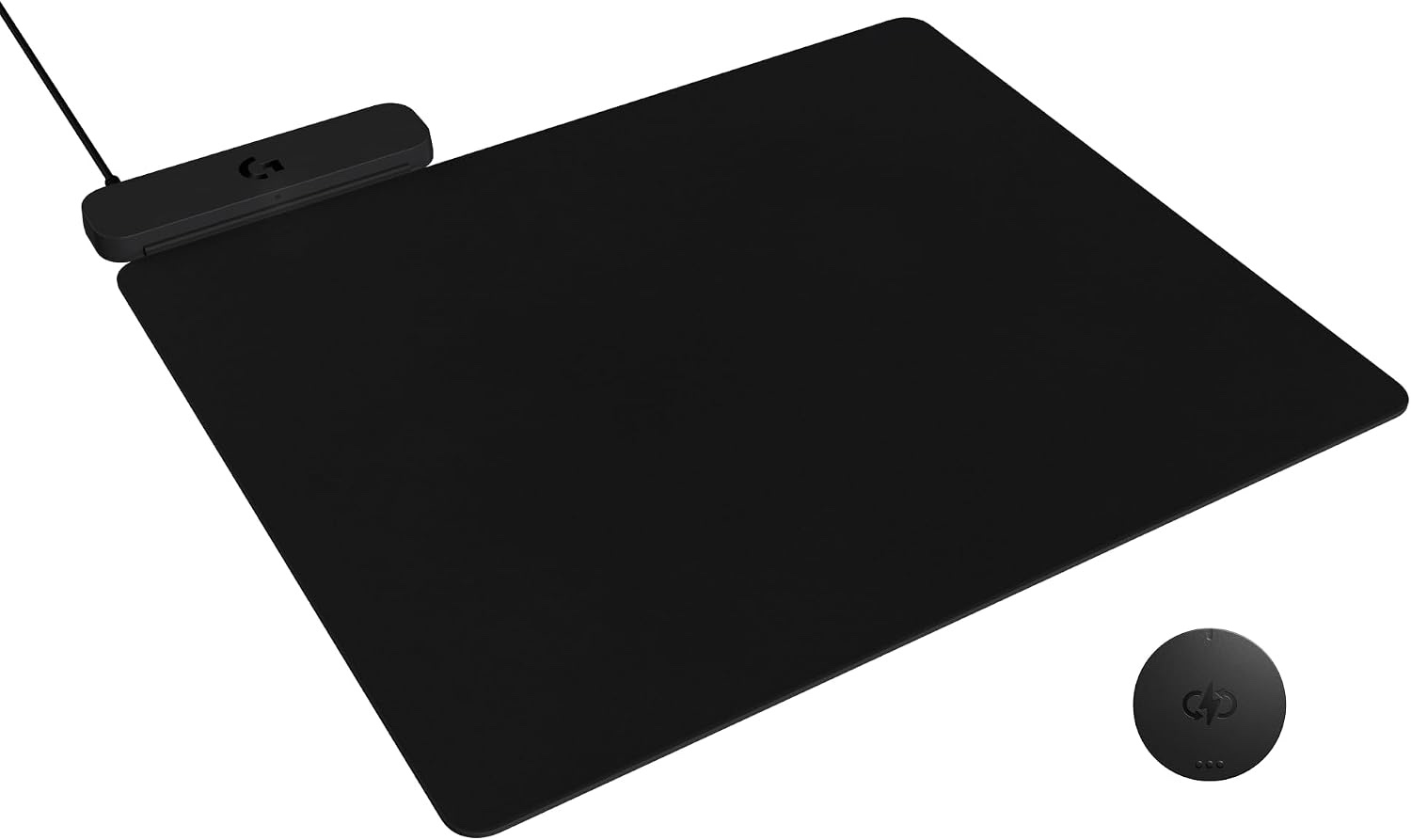
The PowerPlay 2 is much slimmer than the original. At 3.5mm it behaves like a regular cloth mousepad, not a raised charging platform. The 13.5 × 11.2 inch surface is big enough for most desk setups without taking over the desk.
A larger charging area than the first generation means fewer spots where the mouse can slip out of range. Sweeping across the pad, you shouldn’t be thinking about where the charging zone starts and stops.
How It Works
Setup is simple. Connect the pad to your PC or a power adapter by USB-A, then slide the included Coin into your compatible mouse. From then on, the mouse draws power whenever it’s on the pad.
There’s no software to install and nothing to configure. That’s a real plus if you don’t want another background app. It also means you get no lighting or customization extras, because the pad does one job.
Logitech says the pad supports current and future Logitech G wireless tech, including LIGHTSPEED 4 KHz. That matters if you buy a high-polling-rate mouse and don’t want its battery to drain faster.
Daily Use
The pad solves one specific problem: the mouse dying mid-session. If you’ve ever had a wireless mouse quit during a work call or a ranked match, the appeal is obvious. You set it up once and stop thinking about battery levels.
The catch is that you’re locked in. If you use a lightweight flagship like the Logitech G Pro X Superlight 2, the pad pairs well with it. If you’d rather keep your options open, consider a mouse with strong battery life and a standard pad. Or, if you want a different shape entirely, the Logitech Ergo M575S is a cheaper trackball that doesn’t need charging pad support.
The price is the other sticking point. At $119.99, you’re paying more than most premium mousepads cost, and the mixed 3.8-star Amazon average shows that not every buyer thinks it’s worth it.
Who Should Buy This
Buy it if you already use a supported Logitech G wireless mouse and hate managing batteries. It’s a one-time fix for the dead-mouse-at-3pm problem, and a good fit for people who put in long hours at the desk.
Skip it if you use mice from other brands, if you’re happy plugging in a mouse every few weeks, or if you want a thick, specialized gaming surface. In those cases the money is better spent on the mouse itself.